
Video Transcript Generator with Timestamps.
Paste a public YouTube link to generate a readable video transcript with timestamps back to the original video.
No sign-up needed for your first transcript.
Free guest access · Rapid repeat requests may pause for up to 60 seconds.
From video link to readable transcript.
- 1
Paste a public link
Start with a supported public YouTube URL.
- 2
Generate the transcript
AI Video Summarizer retrieves available speech text and preserves the timeline.
- 3
Read with context
Scan the transcript, open timestamps, and continue into summary or Ask Video.
A transcript is more useful when the source stays close.
A video transcript turns spoken audio into searchable text, making a long recording easier to scan. It can still lose meaning when it is separated from the moment that produced it, so AI Video Summarizer keeps each transcript segment connected to its timestamp.
Use this video-to-text workflow to locate a quote, revisit an explanation, or move into a grounded summary without searching through the full timeline again. The result is useful for research, learning, interviews, and content workflows.
Built for the moments you need the exact words.
Research
Find quotes and verify the surrounding context.
Learning
Review lessons at your own pace with precise timestamps.
Content workflows
Turn interviews and tutorials into text you can scan and copy.
Start by identifying the decision the information needs to support.
Separate evidence from interpretation before drawing a conclusion.
Return to the original context when a statement sounds ambiguous.
What a timestamped transcript looks like.
Each row keeps the spoken text beside the point in the video where it begins.
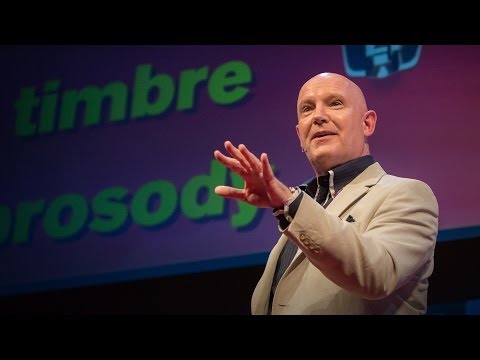
Julian Treasure opens with a practical question: how can we speak in a way that makes people want to listen?
He names habits that make communication harder, from gossip and judging to exaggeration and complaint.
The alternative is HAIL: honesty, authenticity, integrity, and love—four foundations for speaking with trust.
A simple vocal toolbox—register, timbre, prosody, pace, pitch, and volume—helps turn an intention into a clearer message.
What this lesson teaches
Julian Treasure explains how to make speech more worth listening to: remove habits that erode trust, lead with HAIL, then use a few deliberate vocal tools.
Key concepts and takeaways
- Avoid the habits that make listeners tune out.
- Build trust with honesty, authenticity, integrity, and love.
- Use pace, pitch, and volume with intention.
Review checklist
Notice one communication habit that may be making listeners disengage.
Practice one vocal variable before your next important conversation.
Lesson chapters
Important source moments
Questions about video transcripts.
Can AI Video Summarizer transcribe every YouTube video?
Transcript availability depends on the video, authorized source access, language support, and provider availability.
Do timestamps open the original video?
Yes. Transcript and generated evidence links are designed to return you to the supporting moment.
Can I copy the transcript?
Yes. When a transcript is available, you can copy it from the result workspace.
What is the difference between a video transcript and a video summary?
A video transcript preserves the available spoken text, while a video summary condenses the main ideas. You can use the transcript to verify the summary and return to the relevant timestamp.
Is an account required?
No account is required for the first useful experience.