
Convert YouTube Video to Text with Context.
Convert YouTube video to text you can scan, copy, and trace back to the original source with timestamps.
Start with one public YouTube link—no sign-up required.
Free guest access · Rapid repeat requests may pause for up to 60 seconds.
From spoken video to usable text.
- 1
Paste the YouTube link
AI Video Summarizer validates the public video URL.
- 2
Convert speech to segments
Available transcript text is normalized with start times.
- 3
Use the text
Scan, copy, summarize, or return to the original moment.
Video-to-text conversion is the start of the workflow.
Readable text is easier to search, quote, and revisit than a long playback timeline. Timestamps keep that convenience from stripping away the original delivery and context.
Once conversion succeeds, AI Video Summarizer places the text beside structured summary and Ask Video tools rather than forcing you to move content between disconnected apps.
Make spoken content easier to work with.
Create reference notes
Copy the relevant passage into your own research or study workflow.
Scan before watching
Identify the sections that deserve closer attention.
Preserve context
Use timestamps to confirm tone, examples, and surrounding explanation.
Choose a format based on how the information will be used later.
Keep the original sequence when it carries part of the meaning.
Link notes back to evidence so another reader can verify them.
Text that preserves the playback timeline.
The converted output remains segmented so long videos do not become one unstructured wall of text.
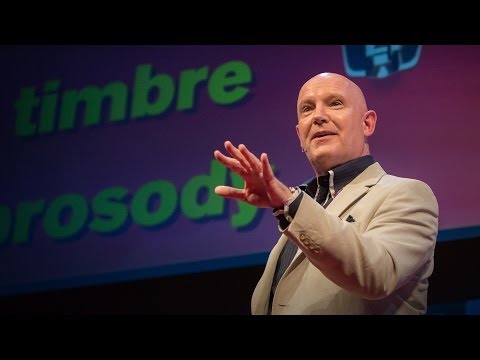
Julian Treasure opens with a practical question: how can we speak in a way that makes people want to listen?
He names habits that make communication harder, from gossip and judging to exaggeration and complaint.
The alternative is HAIL: honesty, authenticity, integrity, and love—four foundations for speaking with trust.
A simple vocal toolbox—register, timbre, prosody, pace, pitch, and volume—helps turn an intention into a clearer message.
What this lesson teaches
Julian Treasure explains how to make speech more worth listening to: remove habits that erode trust, lead with HAIL, then use a few deliberate vocal tools.
Key concepts and takeaways
- Avoid the habits that make listeners tune out.
- Build trust with honesty, authenticity, integrity, and love.
- Use pace, pitch, and volume with intention.
Review checklist
Notice one communication habit that may be making listeners disengage.
Practice one vocal variable before your next important conversation.
Lesson chapters
Important source moments
Questions about converting YouTube video to text.
Is video-to-text the same as a summary?
No. A transcript preserves spoken content, while a summary condenses selected ideas. AI Video Summarizer provides both views together.
Can I download a text file?
The current workspace supports copying transcript text. Additional export formats are planned after core usage is validated.
Will the text include timestamps?
Yes. Normalized transcript segments retain their start times whenever the source provider supplies them.
How can I convert a YouTube video to text?
Paste an eligible public YouTube URL, let the tool retrieve available transcript text, and then read or copy the timestamped result from the workspace.
Can I upload an MP4?
Yes. Upload an MP3, MP4, M4A, WAV, OGG, WEBM, MPEG, MPGA, or FLAC file up to 25 MB. OpenAI creates a timestamped transcript, then the workspace generates a grounded summary.