
YouTube Lecture Notes You Can Verify.
Create structured notes from an eligible public YouTube lecture or tutorial, then return to the source timestamp whenever a concept needs context.
Your first eligible lecture is free. No account required.
Free guest access · 3 protected requests each day · Sign in for more.
From a YouTube lecture to a reviewable study pack.
- 1
Paste a public lecture
Use a public YouTube lecture, tutorial, seminar, or explainer with available transcript access.
- 2
Create the study pack
The workspace organizes available speech into timestamped notes, a searchable transcript, flashcards, and a review quiz.
- 3
Review and verify
Use the notes for orientation, then open the supporting timestamp whenever wording, nuance, or an example matters.
Notes are only useful when you can check the lesson.
A lecture note should make the next review faster without severing the connection to the teacher's explanation. Generic summaries often remove the examples, conditions, and sequence that make a difficult concept understandable. This workflow keeps the original transcript and timestamp close to each generated point so the source stays practical to revisit.
Start with the structured overview to understand the lecture's shape, search the transcript for a term or example, and use the review material to test recall. When a point feels too compressed, open its source moment rather than treating generated notes as a substitute for the lecture itself.
Built for studying explanations, not collecting snippets.
Technical tutorials
Find the step, command, or reasoning behind a result and replay the exact explanation.
University lectures
Review the structure before an exam and keep difficult concepts connected to their teaching context.
Research seminars
Locate a claim or method quickly, then check the surrounding discussion before reusing it.
State the problem and constraints before comparing possible approaches.
Use the worked example to test whether the definition applies in context.
Turn the exception into a review question instead of memorizing the rule alone.
A study note can still lead back to the evidence.
Each generated idea is easier to revisit when the timestamp and supporting transcript remain available in the same workspace.
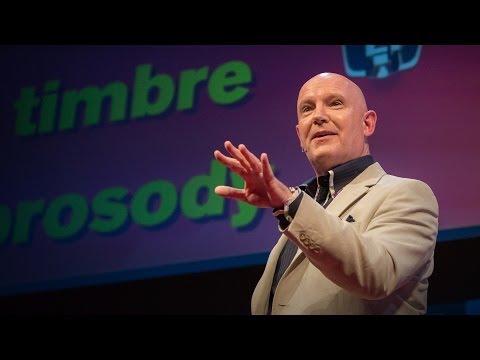
Julian Treasure opens with a practical question: how can we speak in a way that makes people want to listen?
He names habits that make communication harder, from gossip and judging to exaggeration and complaint.
The alternative is HAIL: honesty, authenticity, integrity, and love—four foundations for speaking with trust.
A simple vocal toolbox—register, timbre, prosody, pace, pitch, and volume—helps turn an intention into a clearer message.
What this lesson teaches
Julian Treasure explains how to make speech more worth listening to: remove habits that erode trust, lead with HAIL, then use a few deliberate vocal tools.
Key concepts and takeaways
- Avoid the habits that make listeners tune out.
- Build trust with honesty, authenticity, integrity, and love.
- Use pace, pitch, and volume with intention.
Review checklist
Notice one communication habit that may be making listeners disengage.
Practice one vocal variable before your next important conversation.
Lesson chapters
Important source moments
Questions about YouTube lecture notes.
What is included in a YouTube lecture study pack?
A completed workspace can include timestamped notes, the available transcript, transcript search, questions, flashcards, and a review quiz. Available output depends on successful processing and source access.
Can I use this for any YouTube lecture?
The lecture must be public, eligible for access, and have transcript text available through the configured authorized provider. Private, restricted, or unsupported videos may not produce a result.
How do timestamps help with study notes?
Timestamps let you reopen the source moment behind an idea, which is useful for checking definitions, examples, limitations, and the speaker's surrounding context.
Are the notes a replacement for watching the lecture?
No. Notes are an orientation and review layer. Use timestamps and the transcript when you need the full explanation or need to verify an important claim.
Can I export my lecture notes?
You can copy content from the workspace and export a completed result as Markdown or PDF. Notion copy is also available from the result workspace.